
Welcome to MS365 Word for Beginners: Mastering Styles and Formatting!
Welcome to our comprehensive online session where we’ll explore the formatting tools in Microsoft Word, designed to save you time and enhance your document creation experience. This session is tailored for both beginners and users who have used Word before but haven’t yet explored the full potential of its formatting features.
The Power of MS Styles
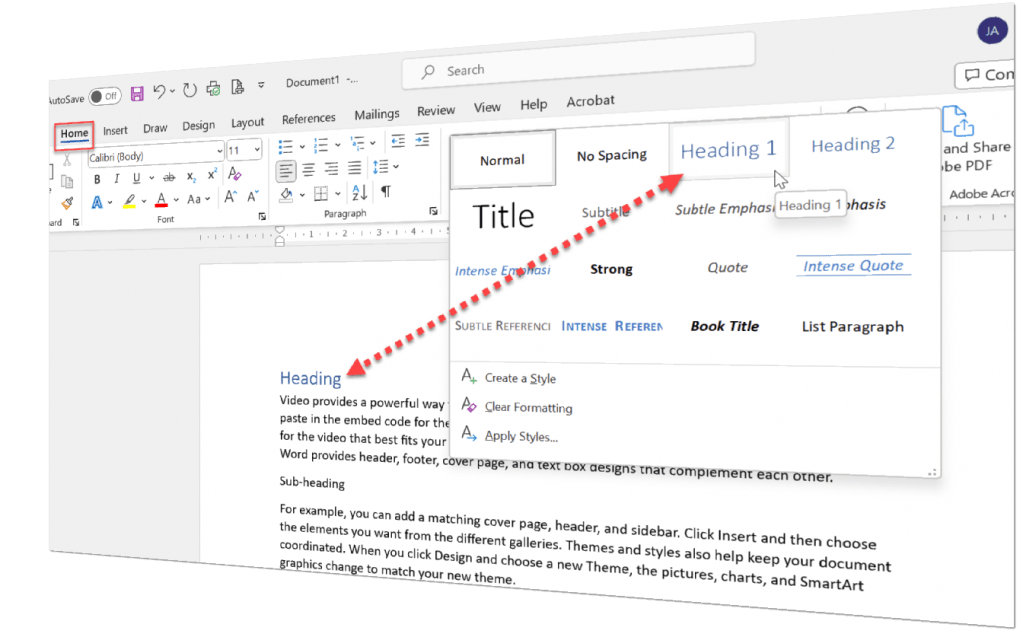
One of the key focuses of this session is to introduce you to MS Styles. You may think of it as a tool exclusively for advanced users, but in reality, it is a basic toolkit readily available on your Home tab in Word. You might not have noticed or realised its full potential and what it can do.
During this session, we’ll explore MS Styles and find out how it can change the way you format text and headings. Whether you’re a beginner or have some familiarity with Word, this fundamental feature will transform the way you work with documents.
Learn how to effortlessly format text and headings with consistent styles, ensuring a cohesive and professional look to your documents. Say goodbye to manual formatting struggles, and make use of MS Styles when formatting in Word.
Mastering Styles
Say goodbye to the hassle of manually formatting each paragraph and heading! With MS Styles, you’ll discover a time-saving and consistent way to format your entire document effortlessly. We’ll guide you through creating, modifying, and applying styles, ensuring that your documents maintain a cohesive look. From basic text formatting to designing custom styles, you’ll be able to asses the impact of using Styles in your documents.
Organizing Your Document with Sections and Page Breaks
Ever struggled with arranging content the way you want in Word? Our session will show how the use of sections and page breaks allows you to structure your document. With section breaks, you’ll be able to customise headers, footers, margins, and page orientation within the same document. Page breaks will enable you to control where a page ends and a new one begins, avoiding awkward page breaks.
Effortless Page Numbering for Professional Touch
You’ll learn how to insert page numbers, format them, and even control which pages display page numbers and which ones don’t. Impress your readers with professionally paginated documents, whether it’s a simple report or a lengthy dissertation.
Practical Hands-On Exercises
Learning by doing is the key to mastering Word’s formatting tools. Throughout the session, we’ll engage in hands-on exercises, so you can apply what you’ve learned.
By the end of this session, you’ll be equipped with the skills to create well-structured documents using MS Styles, section breaks, and page breaks.
 Jina Jay Digital